

Free shipping on USA orders over $129!

CM Organizer
$7.95 / month
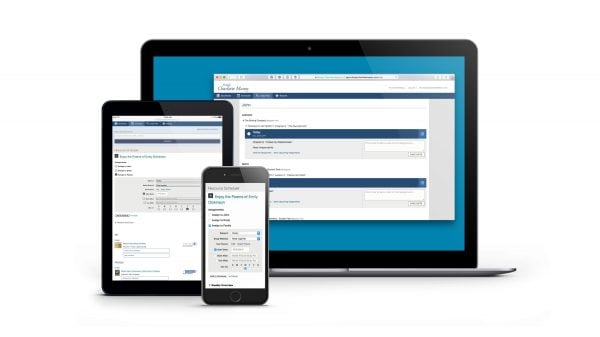
Simplify your planning and record-keeping with the CM Organizer, the only online homeschool planner designed especially for Charlotte Mason homeschoolers.
Try the CM Organizer free with a Basic account. No credit card details required. See full description
Product Description
A simple yet powerful online planner designed especially for the Charlotte Mason method!
Simplify your planning and record-keeping with the CM Organizer, the only online homeschool planner especially for Charlotte Mason homeschoolers.
At a Glance
- Use CM-friendly living books. You’re not tied to a single textbook for each subject.
- Take your schedule one day at a time. There’s no pressure to do assignments by a certain date, so you can focus on the assignments for just today.
- Schedule Charlotte Mason subjects such as nature study.
- Grades aren’t required to track your progress.
Take a Video Tour
After only 5 minutes of using the Organizer, I was sold. The ease of it, the time it will save, the way it just totally makes your days and record keeping so much more organized. It really is wonderful! I am very happy to say goodbye to the planning, erasing, re-planning merry-go-round I have been stuck on thus far!
Donna D.
Try the CM Organizer free with a limited Basic account or subscribe for full access for only $7.95/month. Basic accounts are completely free—no credit card details required!
Use the CM Organizer for free with a Basic account
If you have an SCM store/forum account, you already have access to the CM Organizer with a free Basic account. Just sign in to access your free account. Enter your SCM store/forum login and you’ll be all set. (Need to create an account?)
What do I get with a subscription?
Free Basic Account
- Schedule 20 total resources.
- Create Progress reports for the past month.
- No attendance or bibliography reports.
- Cannot share added resources with other CM Organizer users.
Basic accounts are completely free and require no credit card details.
Subscription Account
- Schedule an unlimited number of resources.
- Create Progress reports for any date.
- Attendance and bibliography reports.
- Share your added resources with other CM Organizer users.
Take a Tour
1. Choose your books
Start by searching the thousands of living, CM-friendly books and other resources in the Bookfinder. The Bookfinder includes books and resources that have been personally reviewed by the SCM team, plus books and resources that have been shared by other CM Organizer users.
If you don’t see the book or resource you want to use, it’s easy to add your own. The CM Organizer can even look up the details for you from the ISBN number.
2. Schedule your books
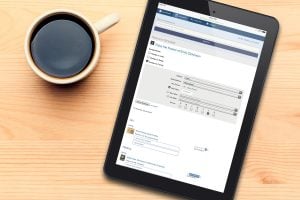 The Resource Scheduler is designed especially for literature-based lessons and flexible scheduling. Assign your selected books to your students with a variety of Charlotte Mason-specific study methods such as Read and narrate and Do a picture study, or add your own custom method. Schedule a resource to start on any day, or choose to begin using it with or after a resource that’s already scheduled. The CM Organizer gives you the flexibility to take your schedule one day at a time.
With the Scheduler’s chapter selector, you have complete freedom to customize which chapters you’ll use from each book. Schedule chapters in any order, or skip the ones you don’t need.
The Organizer has changed my life. I know that sounds dramatic, but truly I have found nothing else that serves me as well as this does.
Tia P.
3. Check off your progress
 Focus on what you need to do today with the Daily Plan. You’ll see just the assignments that need to be accomplished today. Simply check off whether your child worked on or finished each assignment—that’s all there is to it. The CM Organizer records your progress and shows you the next assignment.
If you do one of Wednesday’s assignments on Monday, you can easily record it. If you completed more than one assignment today, just mark off everything you accomplished. And if you unexpectedly have to skip a day of school work, no problem. The CM Organizer will update your schedule to match your pace.
If you get behind recording school work, the Daily Plan has you covered. You can record work from any previous day whenever you have time.
4. Create your reports
Quickly create reports of work accomplished for any range of dates, whether it’s the entire school year or yesterday. The CM Organizer also creates attendance and bibliography reports for you to use if your state requires those.
It was wonderful to simply print a report […] to turn in to our cover school. That is a task that could have taken me several days to put together on my own! It is a huge burden lifted to know I will never be behind in my paperwork. It frees me to spend my time and energy with my children.
Tully L.
Frequently Asked Questions
Why is the CM Organizer an online service?
Because the CM Organizer is online, it’s available any time on any computer or device that can access the internet. You also get the benefit of shared resources from other CM Organizer users. Plus, as we continue to improve the CM Organizer and add new features, those new features are instantly available and you don’t have to install them.
Are my records secure and safe on the CM Organizer?
Only you can see your password-protected records on our secure server. And you don’t have to worry about losing your data if your computer crashes or your hard drive dies; we back up all your information for you.
What if I need to track grades for my state?
You can easily add a note to each assignment to record the grade. Those notes can be displayed on your reports.
My state requires me to keep attendance or a course bibliography. Can I do that with the CM Organizer?
Yes, the CM Organizer can automatically create both types of reports for you with a subscription account.
What would we do without our CM Organizer?! You saved our homeschool, and that is not an overstatement!
Cyndi G.
5 reviews for CM Organizer
If you have a question, contact us and we will be happy to help.
You may also like…

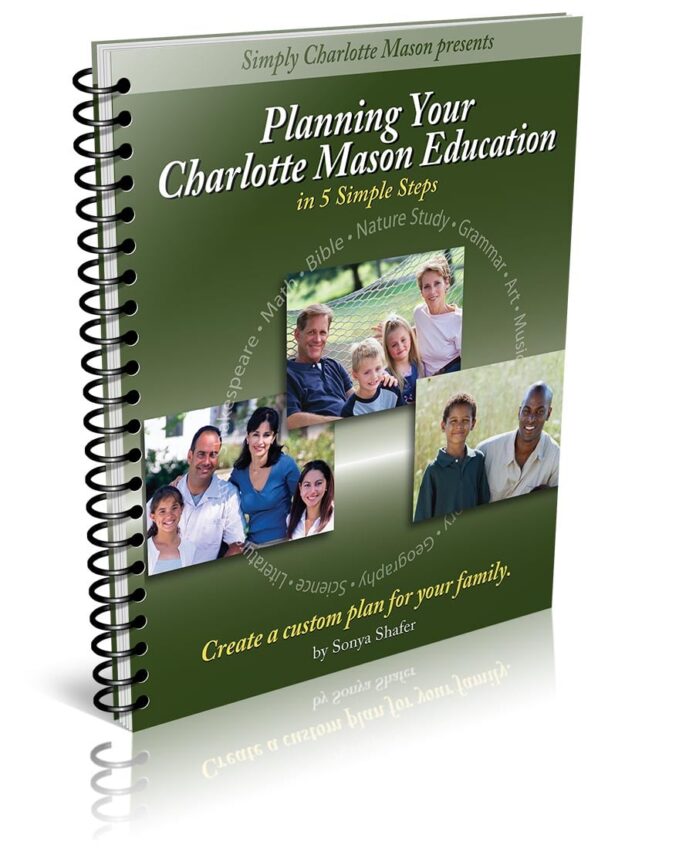
Planning Your Charlotte Mason Education
$20.95 – $28.95
Elizabeth Bookspan –
The CM Organizer is essential to tracking and staying on schedule with your students progress through your chosen resources. Simply CM has thought of everything in their design of this software. It is easy to use and makes homeschooling using the Charlotte Mason method easy.
NYHudsonValley Mama –
You can put your mind at ease with this organizer. SCM has done a GREAT job of putting this together. Easy to create and edit. Flexible to your routines. Detailed reports and enjoyable to use.
Gail Najera –
I love everything Charlotte Mason and everything that Sonya, Simply Charlotte Mason and team have given to my family. I first learned of CM from a YouTube homeschooler review. It intrigued me and I easily found SCM everywhere. Sonya’s podcasts/YT videos gave me so much clarity and information about this beautiful and godly method of living life with your family for the glory of our Lord. I solely use all resources suggested with the curriculum lessons. I especially appreciate the SCM organizer to electronically record/document everything I want to teach and all that my children are experiencing and learning through living books and resources. Like anything new, it takes time and patience to adjust but with consistency and passion you immediately love its ease and the variety of ways to learn through living. I started at the Kindergarten & first grade levels and my 5 & 6 yr olds were so engaged and could understand well enough to narrate or illustrate back anything and everything. I definitely do recommend SCM to everyone and pray to have my Abeka homeschooler friends open to try adding SCM to their curriculum.
Liz Sheth –
As a first year homeschool mom, this has made the task of planning not only less overwhelming, but more enjoyable. Prior to having the organizer, I was struggling to keep track of all our books and who needed to be reading what, and felt so discouraged. This is so helpful! It’s also been so helpful for my children to see what’s on the menu for the day, and for those who can’t read, to see pictures of our books that will be up next. So thankful for this resource!
Kendra –
The CM Organizer has been such a helpful resource. I have been using it for several years now, and I will never go back to paper planners (as much as I like writing and physical books over digital).Tried that route, and I was forever needing to tweak and shift things around for future days’ schedules if we didn’t get something done, and it was very frustrating and time consuming. With the Organizer you schedule your resources and “bam!” you’re on your way. If you miss a day of history, the lesson is there for the next day of history. It does the work for you. I absolutely LOVE it!